Hi everyone,
As I’m going through Modules 2 and 3 I noticed a change in the Android Studio that I have never seen before. I think last time I used Android Studio was about a year or so ago even then I didn’t notice the option to debug an app using Wi-Fi. I looked it up and it says the option was introduced for Android versions 11+. Still it is a new thing for me and I noticed Module 2 walkthrough only shows how to enable USB debugging and connect the phone with a cable. I thought if you have an Android device and want to debug your app on a physical device then a wireless option would be of an interest.
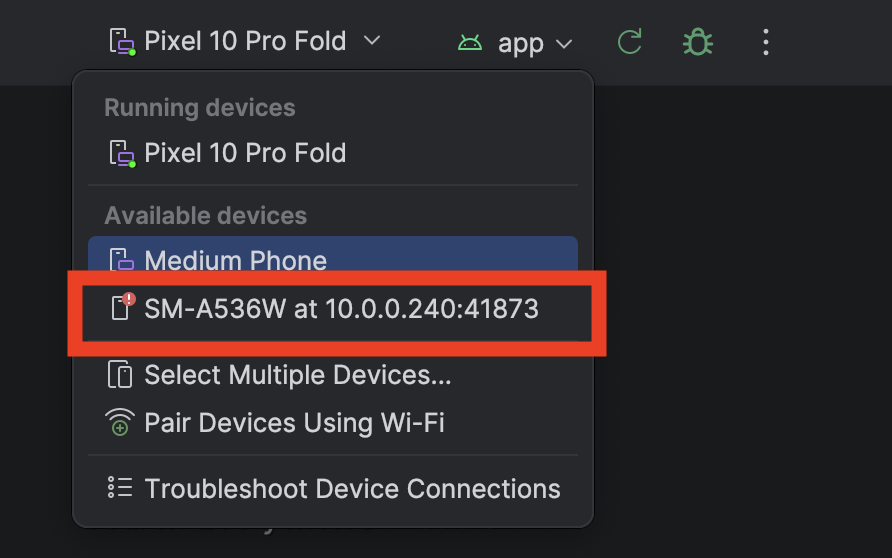
When you open Android Studio and click on list of devices to connect to you should see a “Pair Devices using Wi-Fi” option.
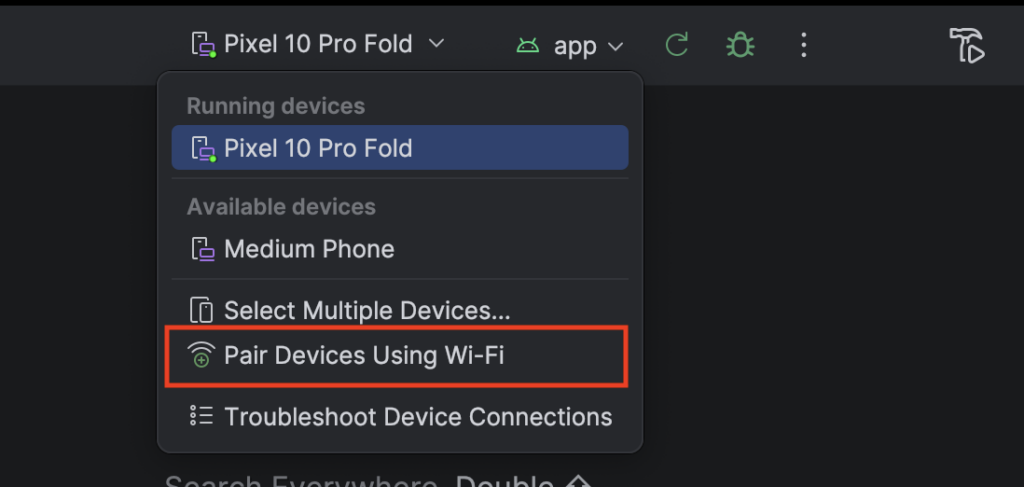
For this make sure your computer and phone are on the same Wi-Fi network.
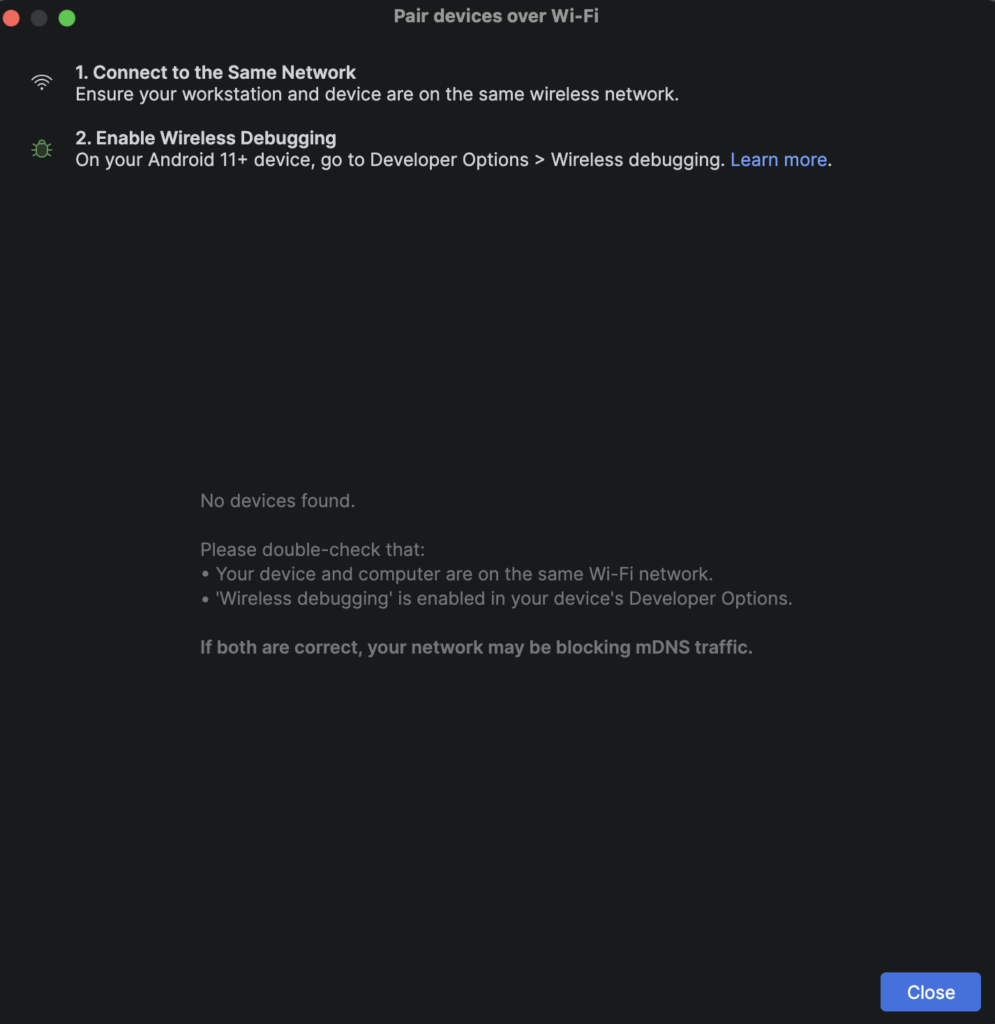
At first, you should not see your device there. You need to go to your phone and enable that option from under the Developer Options.
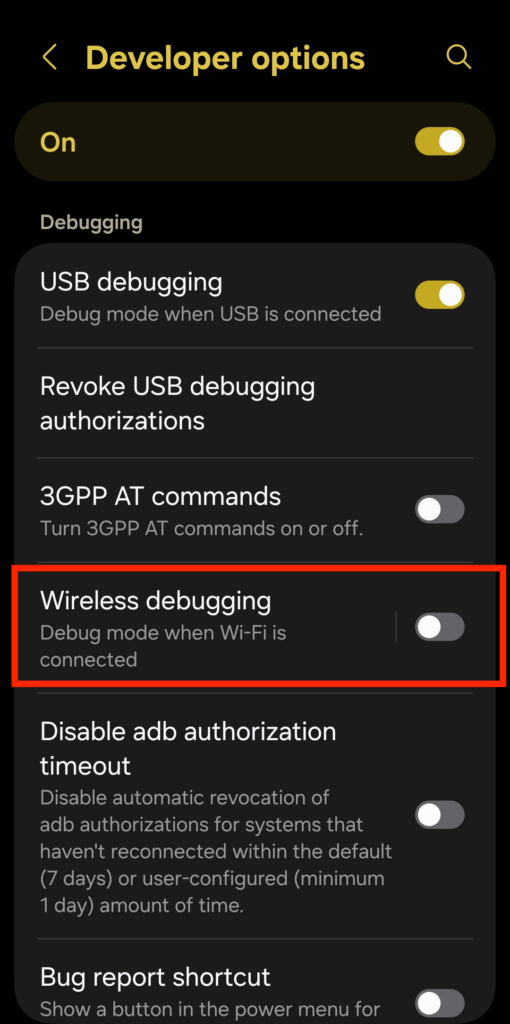
The moment you enable that you should see a screen to “Allow wireless debugging”
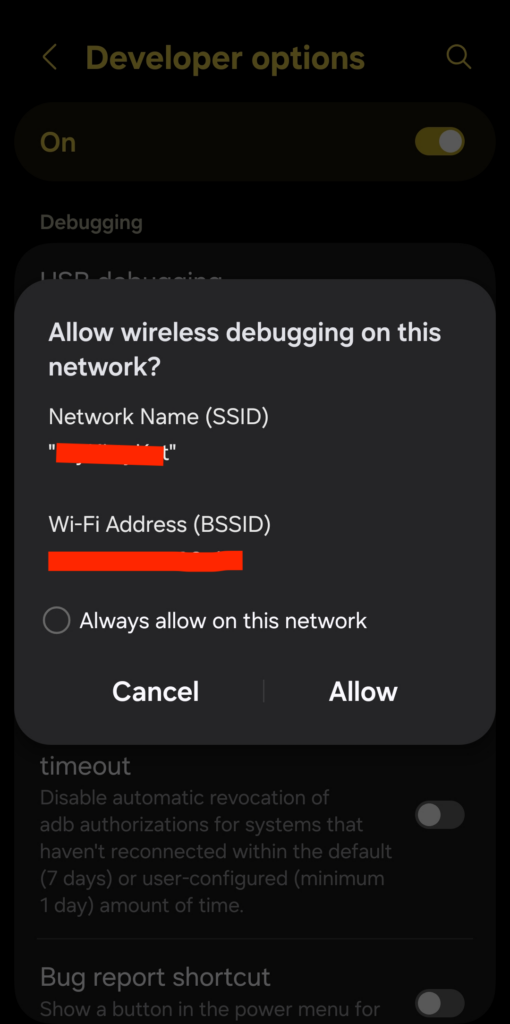
The moment you click “Allow” you should see your device showing on the list of connected devices.
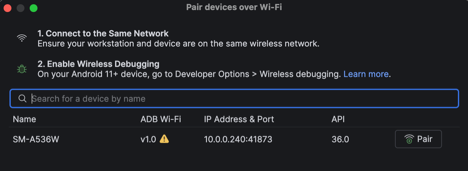
Close that and then select it from under the “Available devices” to run/debug
What I like about is being able to pick up the phone and test the app without a cable getting in the way. I’d still use the emulator to check different screen sizes and Android versions, but this seems like a convenient option for testing on a phone.
Has anyone tried both methods? I’d be interested to hear whether the wireless connection has been reliable for you.
Leave a Reply
You must be logged in to post a comment.